Projects / Network Check

Network Check

A read-only tool for checking publicly available network information -- DNS, TLS, HTTP, and mail-related records -- from the outside. The UI is separated from the check logic, so the same core can be reused across different site-specific presentations.
Active project Read-only Live
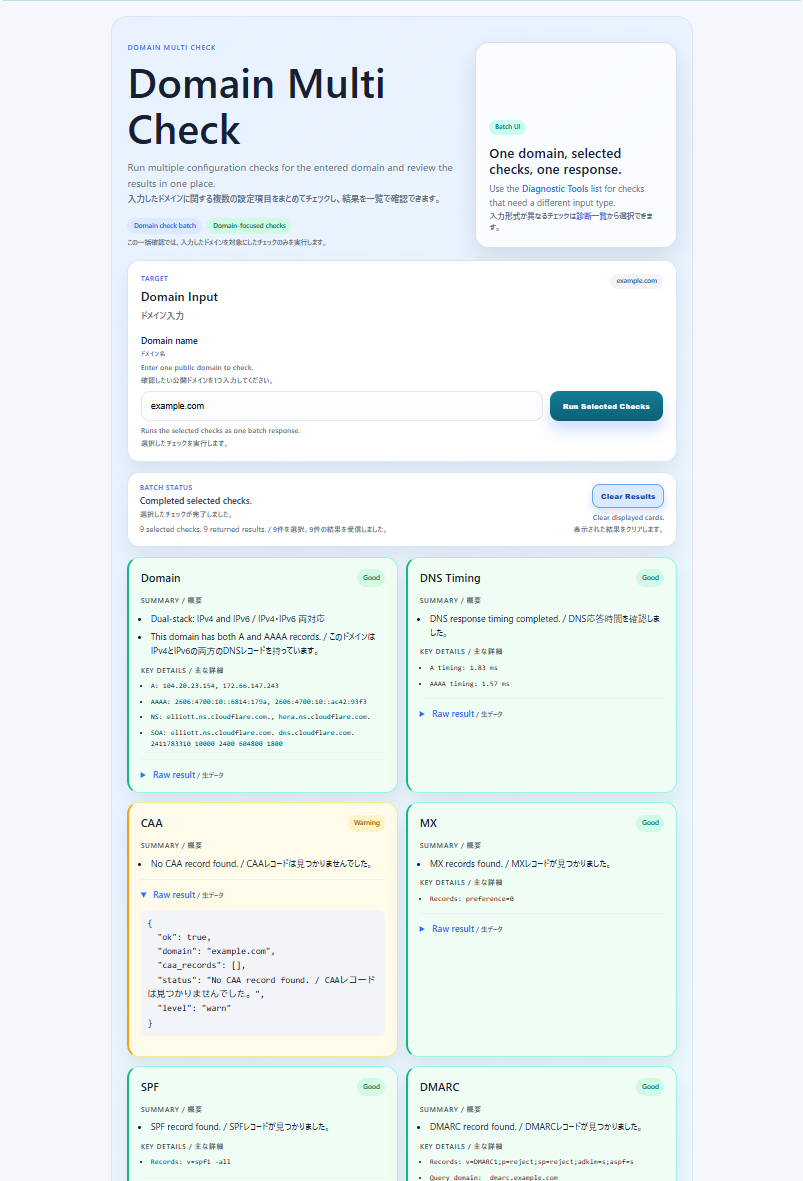
Domain Multi Check result screen. example.com was entered, and results for Domain, DNS Timing, CAA, MX, SPF, DMARC, TLS, and HTTP/2 are shown as separate Good / Warning cards.
Runs the selected domain checks from a single input and displays each check's result separately.

Why I built it

Network Check started as a network-checking tool I wanted for my own use. Beyond the implementation itself, it's also a project for practicing AI-assisted development, design organization, and technical documentation.

Public information, organized by purpose

DNS / Domain

Domain, DNS Timing, PTR, CAA, IPv4 / IPv6 Preference

Web

TLS, HTTP/2, Security Headers

Mail-related DNS

MX, SPF, DMARC

Batch

Domain Multi Check: select from 9 domain-based checks (Domain, DNS Timing, CAA, MX, SPF, DMARC, TLS, HTTP/2, IPv4 / IPv6 Preference) and run them together. PTR takes an IP and Security Headers takes a URL, so both are outside the batch.
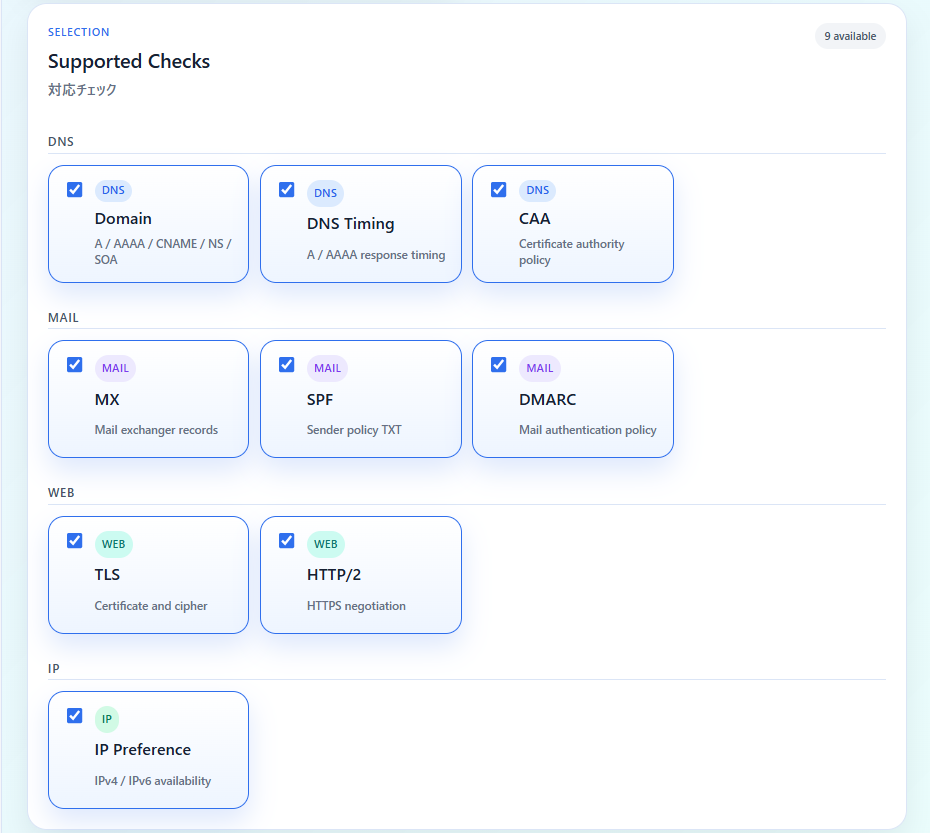
Supported Checks selection screen. Nine checks are grouped into four categories: DNS, MAIL, WEB, and IP.
Domain Multi Check lets you select from 9 items across DNS, mail-related DNS, Web, and IP categories.

Separating the UI, reusing the same core

Check logic is not duplicated per site -- it's treated as a shared Checks / Core. The Application layer is used for orchestration such as Domain Multi Check, and individual checks call the shared Checks / Core directly from the Web layer. Per-site presentation differences are assembled at the composition layer, and the core is not split out as a separate HTTP service or microservice.
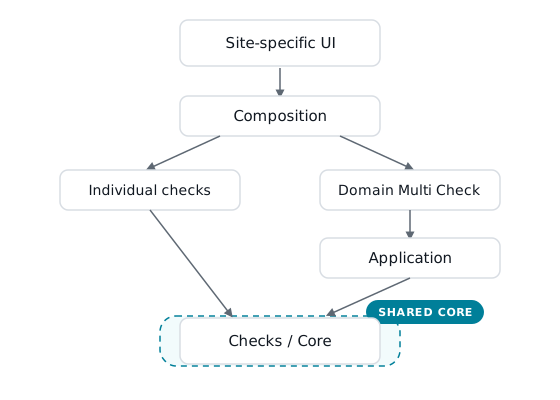
Diagram showing that Site-specific UI and Composition lead to two paths: individual checks call the shared Checks / Core directly, while Domain Multi Check goes through an Application layer first, and both converge on the same shared Checks / Core. The dashed outline marks the shared-core side.
Shared modules, not a distributed core service.
See the Architecture details

Safety, designed as a boundary

Application boundary

  • Validates a resolved candidate before connecting and uses the verified destination
  • Rejects or avoids non-public destinations such as loopback / private / link-local / multicast / reserved addresses
  • Restricts redirect following where it could shift the verified destination boundary

What this check does not do

  • Port scanning
  • Vulnerability or penetration testing
  • Credential attempts
  • Large-scale crawling
  • Modifying the target system

Abuse mitigation on the public deployment

Endpoint-specific rate limiting is an abuse-mitigation control applied on the public deployment side. Specific thresholds are kept as internal operational information and are not published.
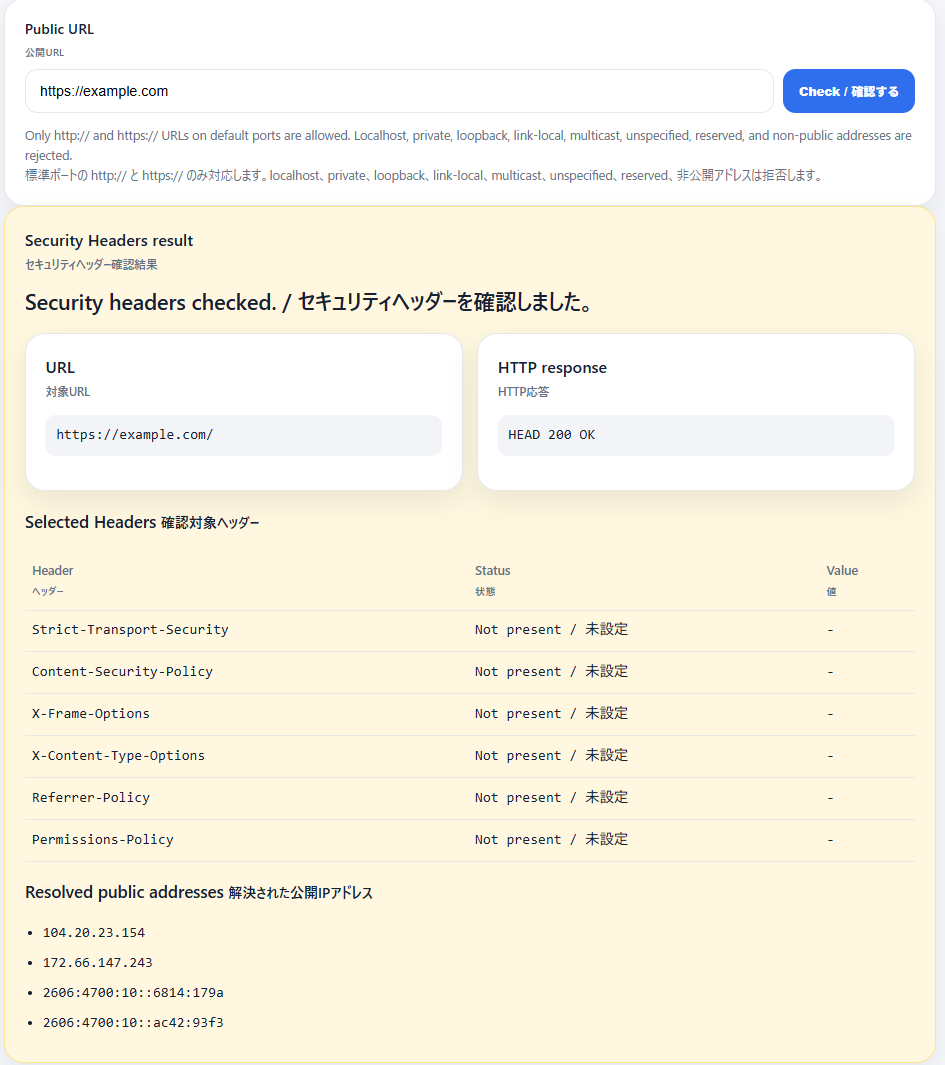
Security Headers result screen for https://example.com/, showing whether selected response headers are present and the public addresses resolved at check time.
An individual check that shows selected response headers and the public addresses resolved at check time for a public URL.

Implementation and decisions you can verify from public documents

Where the public implementation ends and the runtime begins

The public repository provides source and documentation selected for publication. It is not a copy of the entire private source, including the operating environment.

Public repository

  • Selected application source
  • Public-safe templates / assets
  • Documentation
  • Selected tests

Runtime-specific (not published)

  • Deployment configuration
  • Server paths
  • Service configuration
  • Logs / DB / credentials / operational detail
See the Public Repository Policy
Back to Projects